
Switch on online booking and Nimo gives your clinic a free link and page, like gonimo.in/sunrise-family-clinic. Patients pick a time and they're booked. No app, no login, no phone calls.
Start taking bookings
Check first that your doctors have hours. Nimo only offers times they're free.
- Open Clinic settings → Your clinic page.
- Under Booking link, Nimo suggests a link from your clinic's name. Change it if you like. Use lowercase letters, numbers and hyphens.
- Turn on the switch beside Booking link.
Nimo shows "Nimo is taking bookings for you", and the card reads Live — patients can book. If another clinic already has that link, Nimo asks you to try another, such as one with your town in it.
What patients see
Your link opens your clinic page: about the doctor if you have one, or about the clinic and each doctor if you have more. It shows your hours, address and phone, and a Book appointment button.
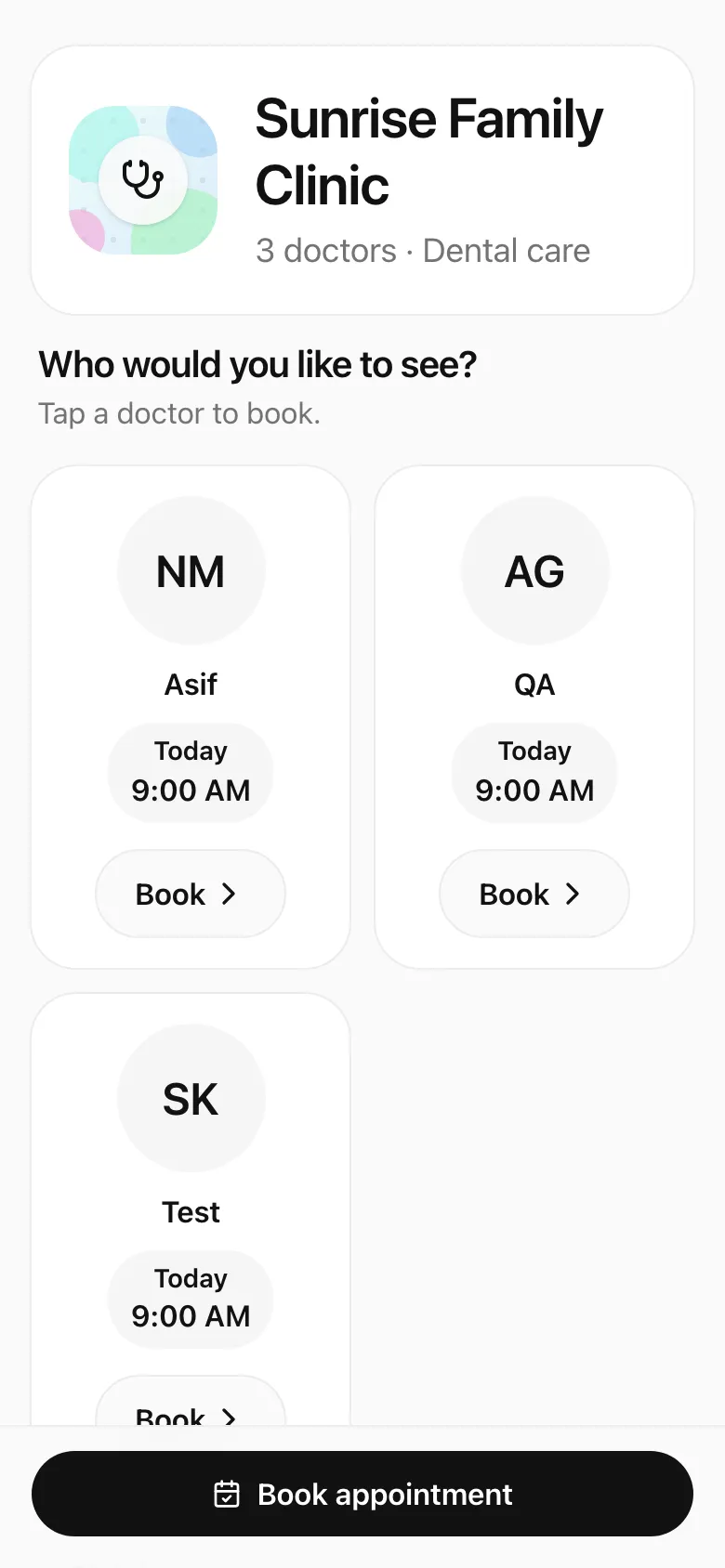
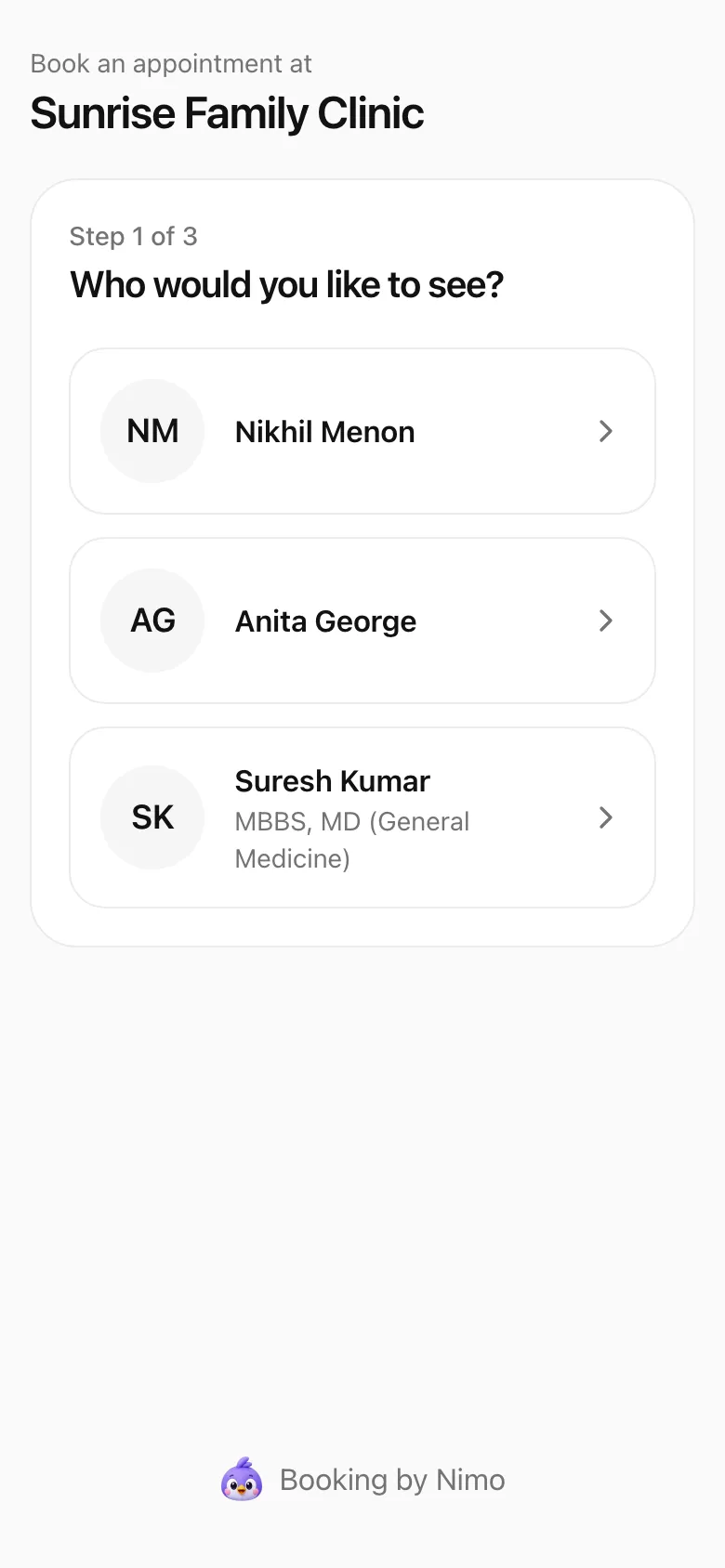
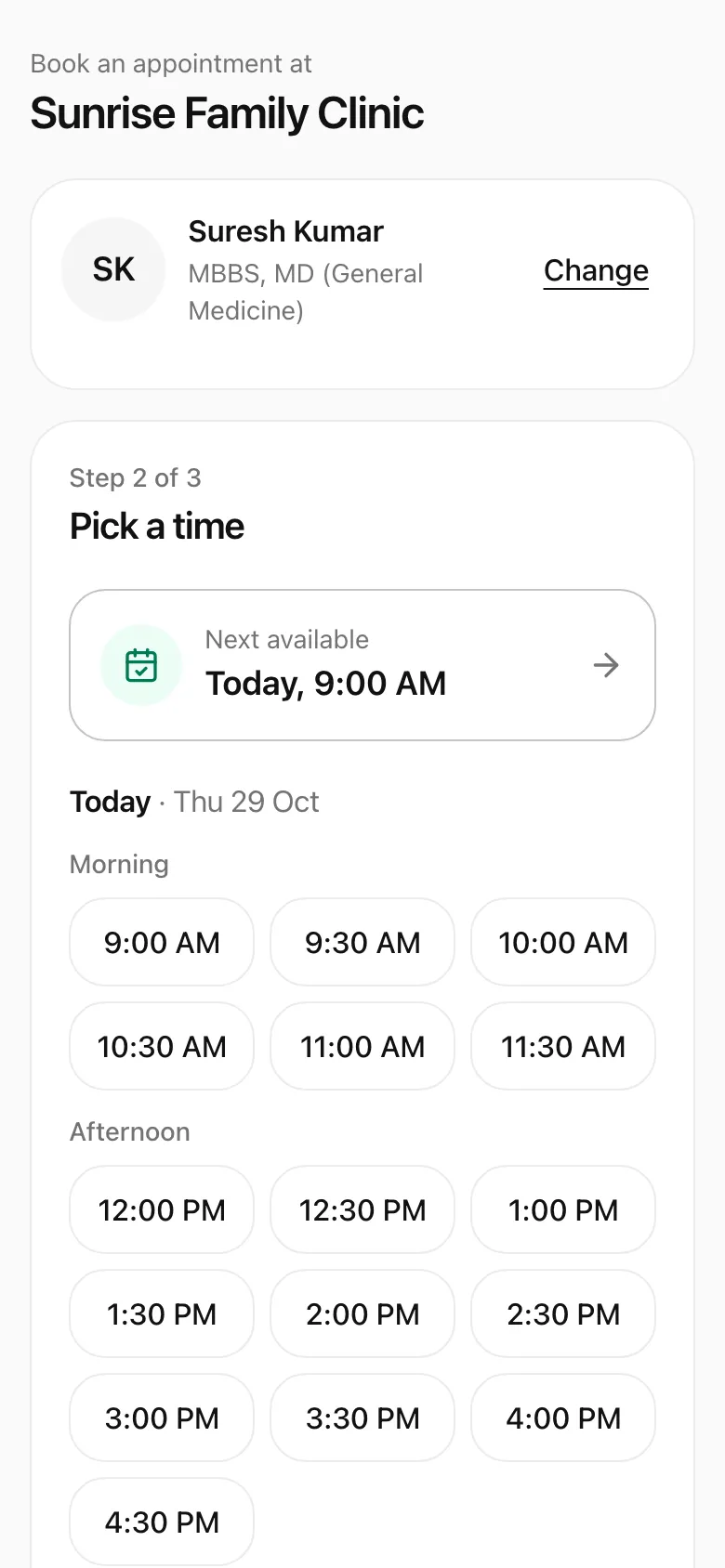
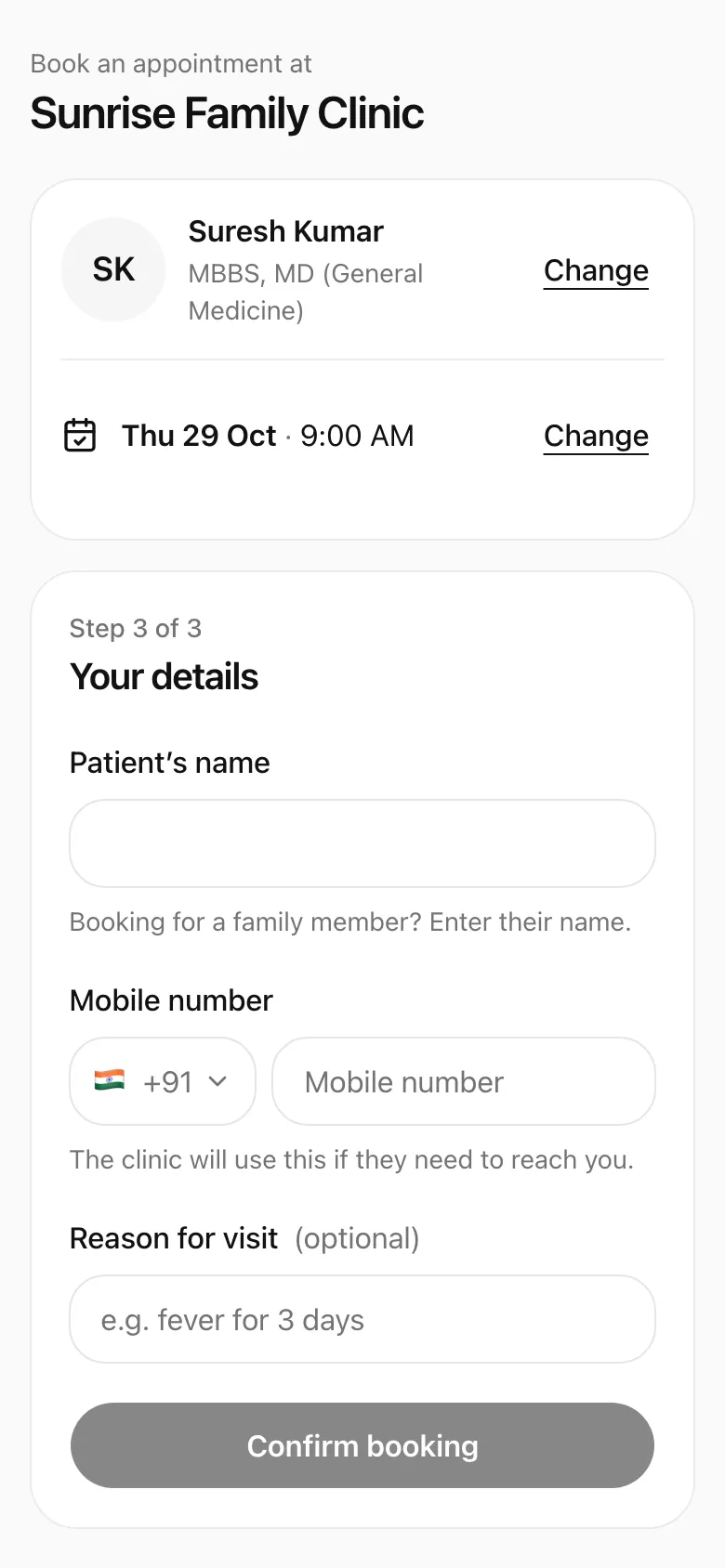
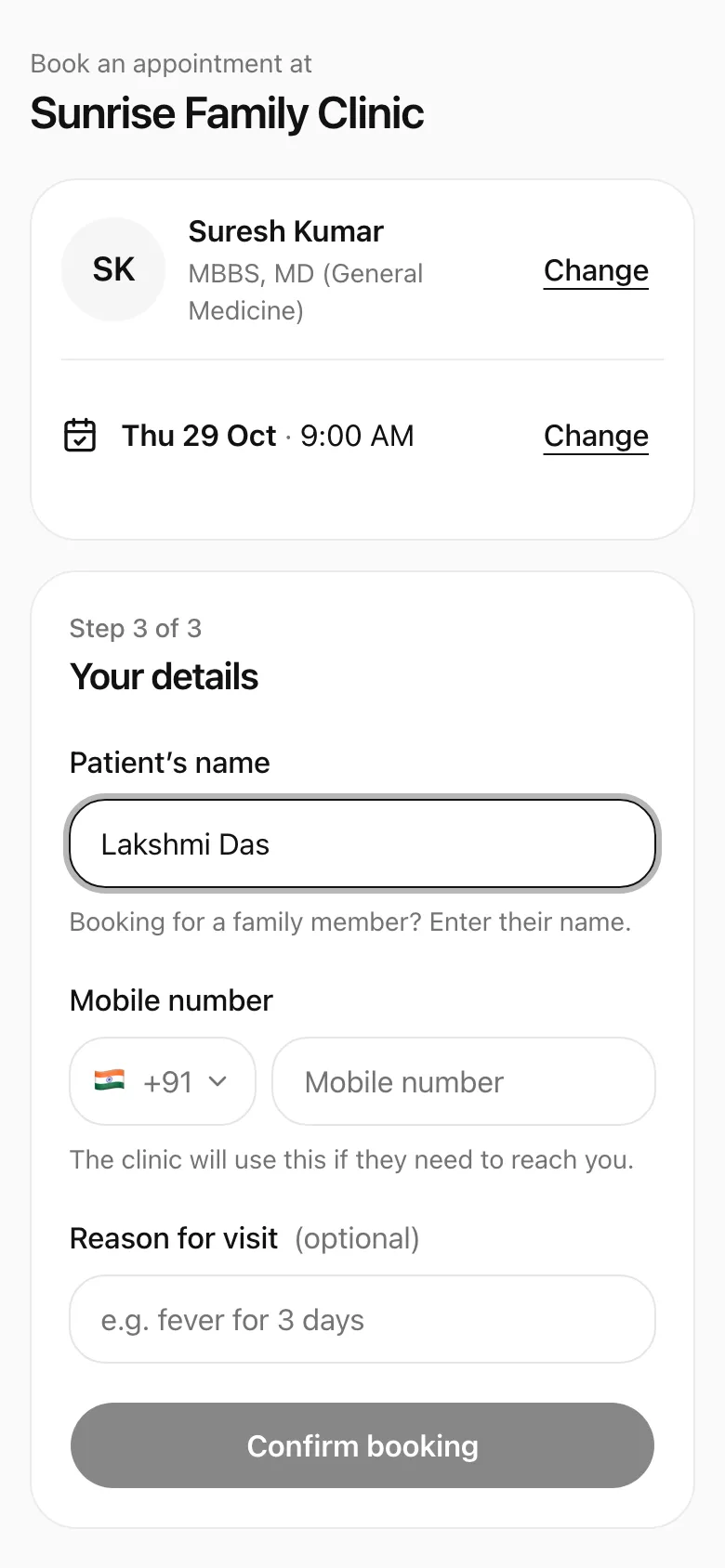
Patients open your link and tap Book appointment
- Patients open your link and tap Book appointment
- They pick a doctor
- Nimo offers the next free time first
- They add their name and mobile
- Confirm booking — no app, no login
Patients pick a doctor, then a time (Nimo shows the next available one first), fill in their details and tap Confirm booking. They see You’re booked, with a link to change or cancel it themselves.
The booking lands on your day straight away, tagged Booked online.
What patients fill in
Name and mobile are always asked. Booking for a parent or child? They enter that person's name with their own number.
Under What patients fill in, you can also ask for Month & year of birth and Gender. Set each to Off, Optional or Required. These choices apply to your booking link and your walk-in QR form.
What your page says
Under What patients read:
- Show the consultation fee: patients see it next to the Book button. Set your fee in Books → Finance first. Want patients to pay it when they book? See Take the fee when patients book.
- Clinic details: your name, logo, address, landmark, Instagram and, with two or more doctors, About the clinic. See Your clinic settings.
- Your doctor profile: each doctor writes their own part under Me → Profile → Your clinic page: a Headline, About you, What you help with, Languages and In practice since. They can add a photo there too.
Booking emails
Under New booking alerts, keep Email each new booking on, and choose Who gets them:
- The doctor: Nimo emails the doctor the patient booked with.
- One person: every booking, for every doctor, goes to one person you pick. Handy when the front desk keeps the diary.
- Both: the doctor, plus a copy to that one person.
Tap Save after changing it. Each doctor can switch their own copy off under Me → Availability. For alerts on your phone, see Telegram alerts.
Share your link
While booking is live, the card shows your link and a QR code:
- Copy copies the link to paste anywhere: WhatsApp, Google, Instagram.
- Open shows your page as patients see it.
- QR saves the QR code as an image to print for your front desk.
To send the link to one patient, the front desk can use Send on WhatsApp on the patient's page, with the doctor already picked. See Online bookings.
Found on Nimo's clinic directory
While online booking is on, your clinic is listed on Nimo's free directory at gonimo.in/clinics, with a Book online label. Patients search it by clinic, doctor, specialty or area. Turn booking off and you leave the list within the hour.
Taking a break
Turn off the switch beside Booking link. Your link now shows a calm page asking patients to call the clinic. Bookings already made stay as they are. Turn it back on any time, and the same link works again.
Got a preview page from Nimo?
The Nimo team sometimes builds a preview of a clinic's page and sends a private link. Try booking like a patient (nothing is saved), then tap Make this my page and sign up. The same link becomes your real page, with online booking on. Unclaimed previews stop working after 30 days.