









Start here
Does a small clinic really need a website?
Yes — but probably not the kind you’re imagining. A family physician, a dentist, a physiotherapist or a homeopath running a one-to-three-doctor clinic does not need a glossy ten-page site with stock photos and a blog. What you need is for a patient who types “doctor near me”, “dentist in Kakkanad” or your own name into Google to find three things, fast:
- Are you open, and when?
- Where exactly are you — and how do I get there?
- How do I get an appointment without waiting on hold?
Most patients today search on a phone before they ever call a clinic. If they can’t answer those three questions in a few seconds, they tap the next result — usually the larger hospital down the road with a marketing team. A simple, free web presence closes that gap for a small clinic, and it keeps working while you’re with patients.
The good news: you can cover all three without paying a web designer, without a monthly hosting bill, and without learning to code. The rest of this guide shows you how.
The checklist
What a clinic website must have
Before choosing a tool, be clear about what goes on the page. Here is everything a small clinic website needs — anything beyond this list is a nice-to-have.
Clinic name, exactly as on your signboard
Search engines match names literally. Use the same spelling everywhere — website, Google, WhatsApp, prescriptions.
Doctors, qualifications and registration numbers
Patients check credentials. Listing your medical council registration number builds trust and is expected of a registered practitioner.
Specialities and what you treat
Plain words patients use — "child fever", "knee pain", "root canal" — not just department names.
Consulting hours, including lunch breaks and holidays
The number-one reason patients call. Wrong hours online cost you more than no hours at all.
Full address with a map link
Landmark, floor, parking. A Google Maps pin removes the "where exactly is it?" phone call.
A phone number that someone answers
Tap-to-call on mobile. If WhatsApp is how your front desk works, say so.
A way to book an appointment online
The single feature that turns a search into a visit — especially after hours, when your phone is silent.
Consultation fees (optional but helpful)
Price transparency reduces no-shows and awkward conversations at the desk.
Notice what’s missing: animations, sliders, a gallery of the waiting room, a long “About us” essay. They’re fine to add later. They don’t bring patients through the door.
Honest comparison
Free ways to put your clinic online
There is no single free tool that does everything well. The good news is that the best free tools are complementary — most clinics should use two of them together.
| Option | Cost | Online booking | Maps | Best for |
|---|---|---|---|---|
| Google Business Profile | Free | Link to one | Yes — it is the Maps listing | Being found on Google Maps & local search |
| Free website builders (Google Sites, free plans of Wix etc.) | Free, with builder branding or ads | Usually paid add-on | Embed only | An "about the clinic" page |
| Facebook / Instagram page | Free | No (message only) | Limited | Updates, health tips, community |
| Nimo clinic page | Free (Free plan) | Yes — instant, synced to your calendar | Address, landmark & Directions button | Introducing your doctors and turning searches into booked visits |
1. Google Business Profile — non-negotiable
This is the box that appears on the right of Google search and on Google Maps when someone searches for your clinic. It’s free, it’s where most local patients will first see you, and it can hold your hours, phone, photos, reviews and a website or booking link. If you do only one thing after reading this guide, claim and verify it.
2. A free website builder — optional
Free builder plans are good for a simple one-page “about the clinic” site. The trade-offs: the free tier usually puts the builder’s name in your web address and on the page, and features like appointment booking are typically part of a paid plan. Worth it if you want to tell your story; not required to get patients.
3. Social pages — for conversation, not conversion
Instagram and Facebook are good for health tips and clinic news, but “DM us to book” means a staff member reading messages all day. Use them to point people to a real booking link in your bio.
4. A Nimo clinic page — the part that books patients
Every clinic on Nimo gets its own public page at gonimo.in/your-clinic-name: each doctor’s photo, qualifications and a few words about them, what they help with, your hours (“Open now”), address with a landmark, and one-tap Directions and Call. Patients pick a doctor, tap a time, give their name and mobile number, and they’re booked — no app, no login, no phone tag. They get a confirmation with your address, a Maps link and your phone number, plus a link to reschedule or cancel. The booking lands on your Nimo calendar like any desk booking. It’s included on Nimo’s Free plan.
It is a one-page clinic website, not a multi-page site with a blog or photo gallery — so the winning combination for most small clinics is Google Business Profile for being found + a Nimo page for being chosen and booked, both free.
This evening
Create your free clinic website in 7 steps
This is the exact setup we recommend to clinics. It costs nothing, needs no technical skill, and most clinics finish it in under an hour — plus a few days for Google to verify your profile.
Gather your clinic details
Write down your clinic name exactly as on the signboard, full address with landmark, phone number, consulting hours for every day, doctors with qualifications and registration numbers, and specialities. You will paste the same details everywhere, so consistency starts here.
Claim your Google Business Profile
Search for your clinic on Google Maps. If it already appears, choose "Claim this business"; if not, add it. Pick the most specific category (for example "Pediatrician" or "Dental clinic", not just "Clinic"), add hours, phone and photos of the entrance and signboard, then complete Google's verification.
Create your free Nimo booking page
Sign up for Nimo, add your doctors and their consulting hours, then open Clinic settings → Your clinic page. Pick your link — Nimo suggests one from your clinic name, like gonimo.in/sunrise-family-clinic — and switch on "Start taking bookings". Add each doctor's photo and a few lines about them, plus your landmark and Instagram, so the page introduces you properly.
Book a test appointment yourself
Open your link on your own phone, pick a time, and book. Check that it appears on your Nimo calendar, then cancel it from the manage link. Two minutes now saves a confused patient later.
Connect the two
Paste your Nimo link as the appointment or website link on your Google Business Profile, in your Instagram and Facebook bio, and in your WhatsApp Business profile. Every place a patient finds you now leads to a real slot.
Put the QR code where patients wait
Download the QR code from Clinic settings → Your clinic page and print it for the reception desk, the waiting room and the back of your prescription pad, so patients can book their follow-up before they leave.
Ask happy patients for a Google review
Reviews are one of the strongest signals for local search. A gentle "If we helped, a Google review helps other families find us" at the desk works better than any advertisement — and never offer anything in exchange.
Want your own domain? A .in or .com address usually costs a few hundred to a thousand rupees a year. Most registrars let you forward it to any link — so sunriseclinic.in can open your Nimo booking page directly. Nice to have, never required.
What patients see
What a free Nimo clinic page looks like
Here’s the booking page a patient opens from your Google listing, your Instagram bio or the QR at your desk. It’s built for a phone held in one hand — big buttons, large text, nothing to download.
gonimo.in/sunrise-family-clinic
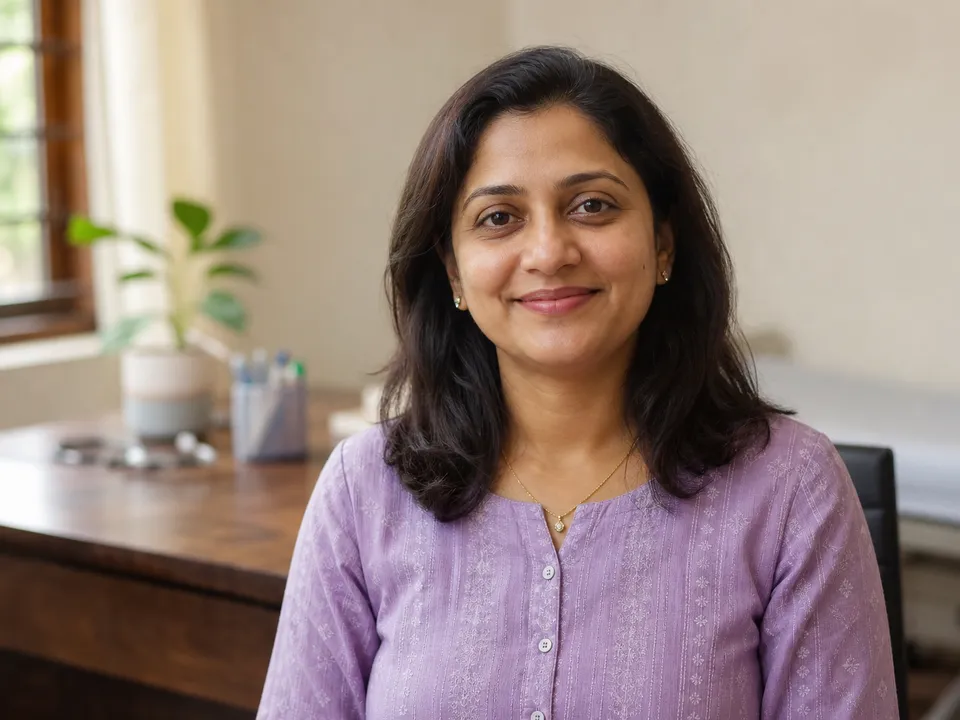
General physician
Dr. Anjali Menon
MBBS, MD · Since 2012 · Malayalam, English
Unhurried care for the whole family
Open now · until 1 pm
₹300
Next free time · Today
10:30 am
Near Kaloor bus stand · Kaloor, Kochi
No app or login needed
 Booking by Nimo
- Your clinic page — each doctor’s photo, qualifications, registration number, a one-line headline, an About, what they help with, languages and years in practice; your hours (“Open now · until 1 pm”), address with a landmark, Directions, Call, Instagram and, if you choose, the consultation fee. A clean black-and-white design that looks like yours, not ours. Sections you leave empty simply don’t show.
- Who would you like to see? — skipped automatically for a one-doctor clinic.
- Pick a time — a big “Next available” button, then today’s and tomorrow’s open times grouped into morning, afternoon and evening, from each doctor’s real hours, with later days one tap away.
- Your details — name, mobile and an optional reason. Booking for a parent or child works the same way.
- You’re booked — date, time, doctor, your address with a Maps link, your phone, “Add to my calendar”, and a link to change or cancel.
On your side, online bookings appear on the Nimo calendar with a “Booked online” tag, alongside walk-ins and phone bookings, and sync to the doctor’s Google Calendar if connected. Nimo also emails the doctor who was booked. Share the link on WhatsApp and the preview shows the doctor’s photo and name. When you’re not taking bookings, one switch turns the page into a polite “please call the clinic”.
See everything Nimo’s online booking does, or read how a clinic booking link compares with Calendly. Not taking bookings? The same page works as a free clinic listing and backlink.
Getting found
Local SEO for clinics: show up when patients search nearby
“SEO” sounds technical, but for a neighbourhood clinic it mostly comes down to being consistent, complete and trusted. Google ranks local results on three things: how relevant you are to the search, how close you are to the searcher, and how prominent(well-known and well-reviewed) you are. You can’t move your clinic, but you can work on the other two.
Your local SEO checklist
- Same name, address and phone everywhere.Google cross-checks your listing against the web. “Dr Rao’s Clinic” on one site and “Rao Clinic” on another weakens both.
- The most specific category.“Orthodontist” beats “Dentist” beats “Clinic” for the patient searching for braces. Add secondary categories for other services.
- Use the words patients use.Patients search for “skin doctor”, “child specialist” and “back pain physio”. Put those phrases in your description and services, in the language your patients speak.
- Real photos. Your entrance, signboard and building from the street help patients find you — and listings with photos tend to get more clicks.
- Accurate hours, including holidays. Update special hours before festivals. A patient who arrives to a locked shutter rarely comes back.
- Steady, genuine reviews — and replies. Thank reviewers briefly. For critical reviews, reply calmly and never mention any clinical detail about the patient.
- A working booking link. A link that leads to a real appointment slot gives searchers a reason to choose you right now.
- Local directories. Listing the same details on reputable local and health directories adds consistent citations.
None of this is a one-time project. Ten minutes a month — new photos, replies to reviews, updated hours — keeps a small clinic ahead of competitors who set up a listing once and forgot about it.
Stay on the right side
Medical ethics and your clinic website
Doctors are held to a different standard than shops. In India, the medical council’s code of professional conduct restricts doctors from advertising or soliciting patients — the long-standing Indian Medical Council (Professional Conduct, Etiquette and Ethics) Regulations, 2002 are the familiar reference, and the National Medical Commission has been revising its own rules. A clinic website is fine; the tone is what matters.
A safe rule of thumb is to keep it factual, not promotional:
- Generally fine: your name, qualifications, registration number, speciality, address, phone, consulting hours, fees, and a way to book.
- Avoid:claims of guaranteed cures, “best doctor in the city”, success-rate boasts, before-and-after photos, and paid or incentivised testimonials.
- Never:publish anything that could identify a patient — names, photos, case details — without explicit written consent. Under India’s Digital Personal Data Protection Act, health details deserve particular care.
Rules change and vary by council, so treat this as orientation rather than legal advice, and check your state medical council’s current guidance if you’re unsure. A plain, accurate page with a booking link sits comfortably within the spirit of every version of the code.
Learn from others
Common clinic website mistakes
Paying for a site nobody can find
A beautiful ₹25,000 website with no Google Business Profile behind it is invisible to the patient searching on Maps. Claim the free listing first.
"Call to book" as the only option
Patients search at 11 pm, when your phone is off. Without online booking, they book wherever they can — tonight.
Hours that are out of date
Out-of-date hours online are worse than none. Set a reminder to check them every festival season.
A different name on every platform
Inconsistent names and addresses confuse search engines and patients alike.
Letting the agency own your listing
Make sure the Google Business Profile and domain are registered to you, not to a designer who might disappear.
Building for a desktop
Most patients will open your page on a phone. Big text, big buttons, tap-to-call.
Collecting patient data on an insecure form
A generic "contact us" form that emails symptoms to a personal inbox is a privacy risk. Use a purpose-built booking tool.
Quick answers
Frequently asked questions
Can I really create a clinic website for free?
Yes. A Google Business Profile is free and puts your clinic on Google Search and Maps. A Nimo booking page is free on the Free plan and lets patients book online. Together they cover what most small clinics need: being found, and being booked. You only pay if you want extras such as your own domain name.
What can I put on my Nimo clinic page?
Each doctor can add a photo, qualifications and registration number, a one-line headline, an About, the conditions they help with, languages spoken and the year they started practising. The clinic can add an About, a landmark, its Instagram handle and, optionally, the consultation fee. Hours, address, Directions, Call and online booking are there from the start. Anything left empty is simply hidden.
Is the Nimo clinic page actually free?
Yes. Online booking is included on Nimo's Free plan, which covers up to 100 visits a month for one doctor. Clinics that grow beyond that, or want Nimo's AI visit notes, can move to Pro — but the booking page itself does not need a paid plan.
Do I need my own domain name?
No. Your Nimo page lives at gonimo.in/your-clinic-name and your Google listing lives on Google. If you would like a memorable address such as yourclinic.in, you can buy one for a few hundred rupees a year and forward it to your Nimo page.
Will a free clinic website show up on Google?
The fastest way to appear in local results is a verified Google Business Profile with the right category, accurate hours, real photos and genuine reviews. Linking that profile to a working booking page gives searchers a reason to choose you right away.
Can patients book appointments online without an app?
Yes. On a Nimo booking page the patient picks a doctor and a time, enters a name and mobile number, and is booked instantly — no app, no login, no password. They get a link to change or cancel the appointment later.
Is it allowed for doctors in India to have a website?
Yes. Medical ethics rules restrict advertising and soliciting patients, not sharing factual information. A page with your name, qualifications, registration number, hours, address, fees and a booking option is generally acceptable. Avoid claims of cures, testimonials and anything that identifies a patient, and check your state medical council's current guidance.
What should a doctor's website include?
The essentials are: clinic name, doctors with qualifications and registration numbers, specialities and common conditions treated, consulting hours, full address with a map link, a phone number, and a way to book an appointment. Fees are optional but helpful.
How long does it take to set up?
The Nimo booking page takes about ten minutes once your doctors and hours are added. A Google Business Profile takes about half an hour to fill in, plus a few days for Google to verify it.
Is a free website builder better than a booking page?
They do different jobs. A free website builder is good for telling your clinic's story, though free plans usually show the builder's branding and charge extra for booking. A booking page is what turns a visitor into an appointment. Many clinics use a Google Business Profile plus a booking page and skip the builder entirely.
Is patient data safe when patients book online?
With Nimo, the booking goes straight into your clinic's own records over an encrypted connection — not into a personal email inbox. Patients only share their name, mobile number and an optional reason for the visit.